If you are Podcaster and have a Blog, and would like to have a News Ticker with your Podcast only. I made a news ticker that consumes your Podcast RSS Feed. This comprehensive blog post explains, how the TECHED.TV Ticker works.
This ticker can connect to your RSS and Podcast feed, and scroll in your web page, a post, or even in a floating window if you can write some code..
As shown below, in green “Latest News TECHED.TV” segment on my home page:

A slim scrolling news ticker for any RSS or Atom feed. Displays the latest items from a feed as a horizontal scrolling strip with thumbnail, title, and date, pausing when hovered or focused.


- 📺 Reads any RSS or Atom feed – podcast, YouTube, Medium, another WordPress site
- 🔄 Falls back to this site’s own
/feed/podcastif no URL is given - 🖼️ When the feed is local, thumbnails come from the real featured images
- 🌐 Otherwise falls back to
itunes:image,media:thumbnailor an enclosure image - ⚡ Cached in a transient, so the feed is fetched rarely, not per page view
- 📍 Place it with a shortcode, a widget, a template tag, or automatically
- 🎯 No jQuery, no build step, no external requests beyond the feed itself
- 🛠�� Respects
prefers-reduced-motion: falls back to a static scrollable strip - 🎨 Theme-neutral styling with customizable accent color
- Go to Plugins > Add New
- Search for “TECHED.TV Ticker”
- Click Install Now and then Activate
- Upload the
techedtv-tickerfolder to the/wp-content/plugins/directory - Activate the plugin through the Plugins menu in WordPress
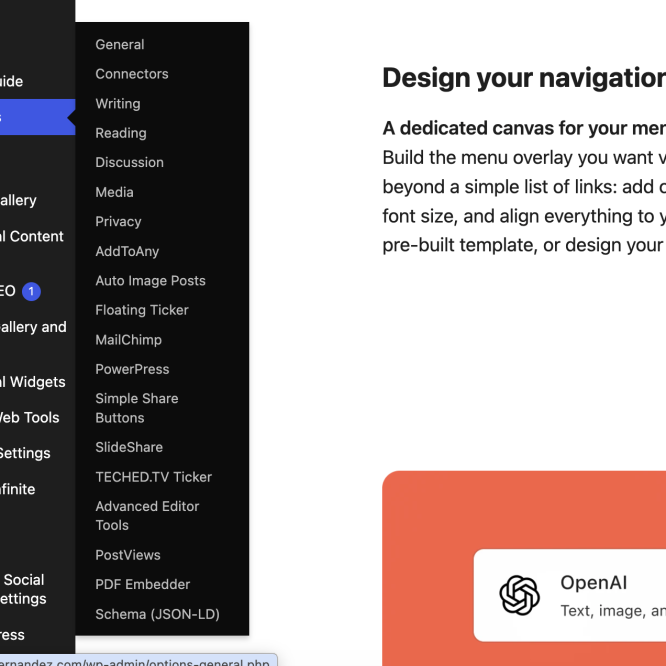
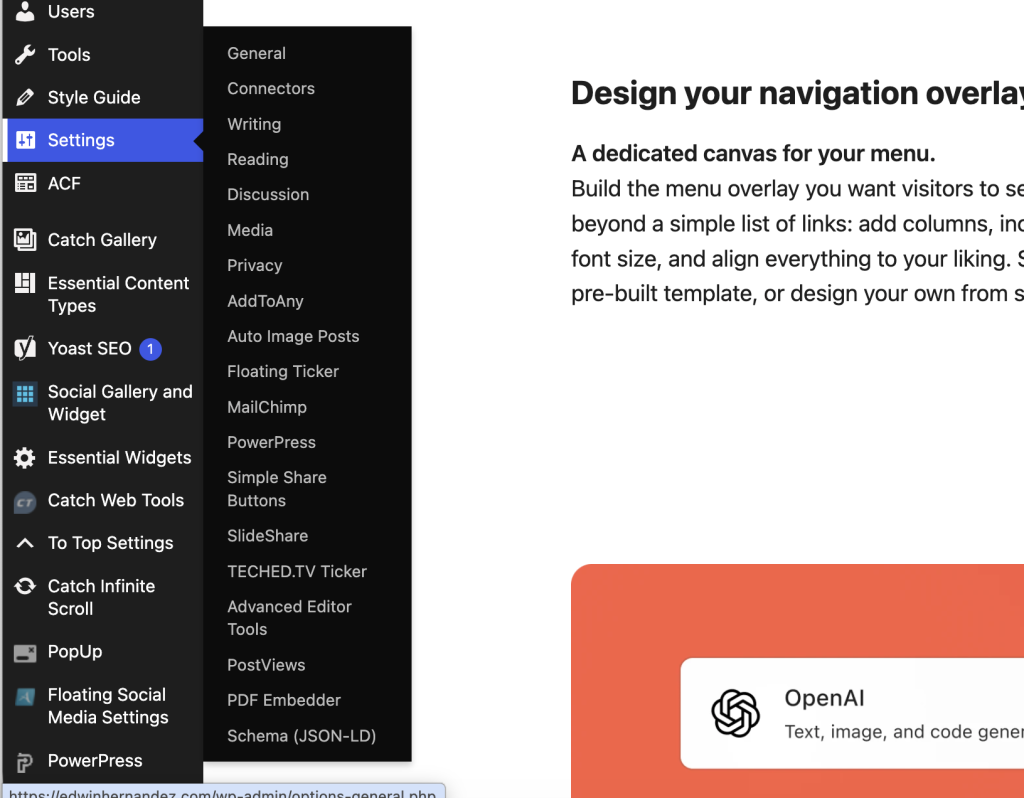
- Go to Settings > TECHED.TV Ticker to configure the settings
[techedtv_ticker feed="https://medium.com/feed/techedtv" count="8" speed="60" label="From Medium"]Insert the ticker using the shortcode:
[\techedtv_ticker\]
With custom parameters:
[\techedtv_ticker feed="https://medium.com/feed/techedtv" count="8" speed="60" label="From Medium"\]
Available shortcode parameters:
feed– RSS/Atom feed URL (defaults to site’s podcast feed)count– Number of items to show (2-30, default: 10)speed– Seconds per pass (10-240, default: 45)label– Custom label text (default: “Latest from TECHED.TV”)
Place the ticker anywhere in your theme:
<?php if ( function_exists( 'techedtv_ticker_render' ) ) { techedtv_ticker_render(); } ?>
Return the markup instead of printing it:
<?php $html = techedtv_ticker_get( array( 'count' => 6 ) ); ?>
Add the “TECHED.TV Ticker” widget to your sidebar or widget area through Appearance > Widgets.
Configure automatic placement in Settings > TECHED.TV Ticker:
- Top of page – Uses
wp_body_openhook - Bottom of page – Uses
wp_footerhook
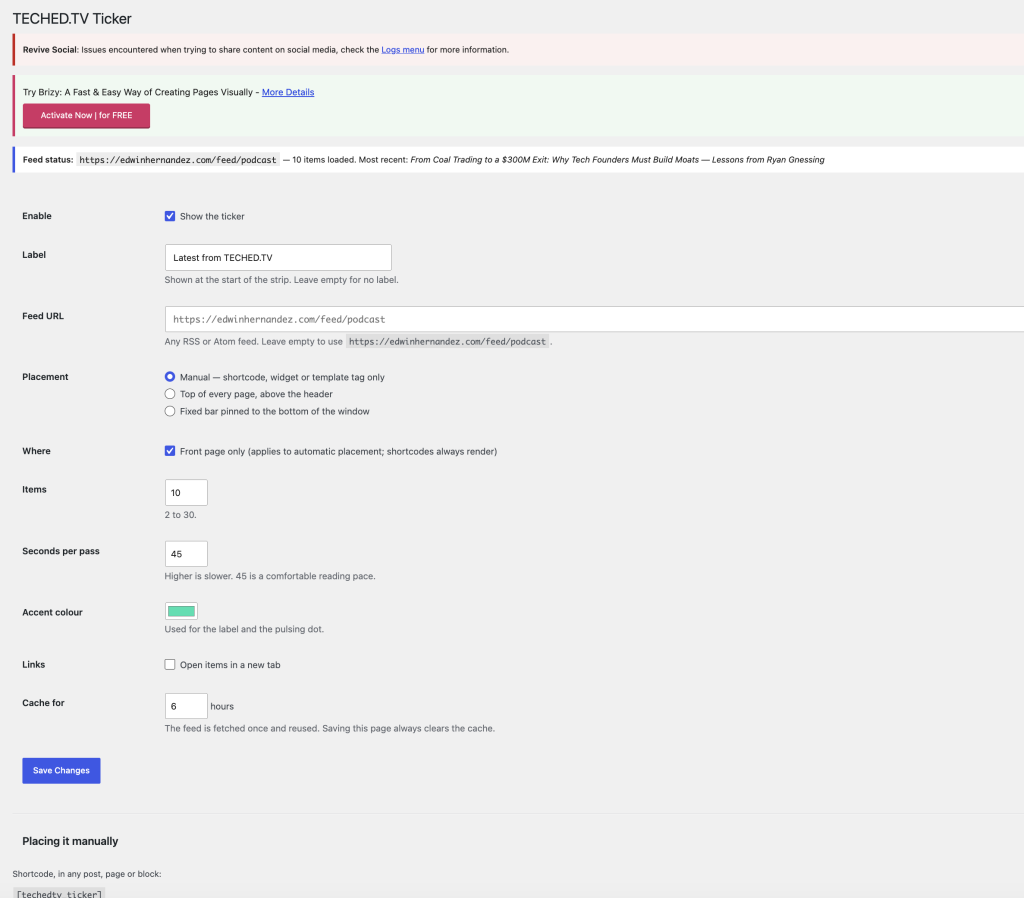
Navigate to Settings > TECHED.TV Ticker to configure:
| Setting | Description |
|---|---|
| Enabled | Toggle the ticker on/off |
| Label | Text shown before the ticker items |
| Feed URL | RSS/Atom feed URL (leave blank for site’s podcast feed) |
| Count | Number of items to display (2-30) |
| Speed | Seconds per full pass (10-240) |
| Placement | Shortcode, Widget, Top, or Bottom |
| Front page only | Show only on front page |
| Cache hours | How long to cache the feed |
| Accent color | Theme accent color |
| Open in new tab | Open links in new window/tab |
- Uses WordPress
fetch_feed()(SimplePie wrapper) - Falls back to
itunes:image,media:thumbnail, or enclosure image for thumbnails - Caches feed data in WordPress transients
- Automatically clears cache when settings change
- Vanilla JavaScript (no dependencies)
- Clones track content to create seamless infinite scroll
- Calculates animation duration based on content width
- Respects
prefers-reduced-motionmedia query
- Theme-neutral design (inherits from parent theme)
- Custom property
--techedtv-accentfor color customization - Fixed positioning option for sticky ticker
- Responsive layout with proper box-sizing
Open Settings > TECHED.TV Ticker. The box at the top reports how many items were read from the feed. If it says none, the feed URL is wrong or unreachable from the server. Try the URL in a browser first.
The feed is cached. Saving the settings page clears the cache automatically; there is also a “Clear cached feed now” button at the bottom of that screen.
Settings > TECHED.TV Ticker > Seconds per pass. Higher is slower. The plugin scales the duration to the width of the content, so the perceived speed stays constant no matter how many items you load.
Yes! The plugin is designed to be theme-neutral and works with any modern WordPress theme.
Yes, as long as your custom post type has an RSS feed, you can use it with the ticker.
- First release
- Full feature set for RSS/Atom feed ticker
- Shortcode, widget, template tag, and automatic placement
- Configurable settings with caching
- Reduced motion support
Contributions are welcome! Please feel free to submit a Pull Request.
- Fork the repository
- Create your feature branch (
git checkout -b feature/AmazingFeature) - Commit your changes (
git commit -m 'Add some AmazingFeature') - Push to the branch (
git push origin feature/AmazingFeature) - Open a Pull Request
This project is licensed under the Apache License, Version 2.0.
- License: Apache-2.0